Summary
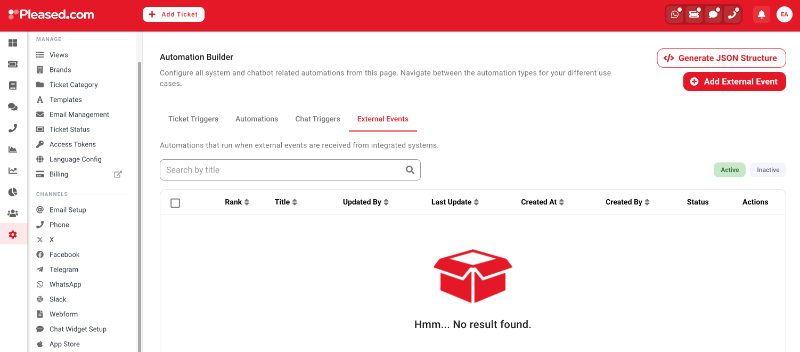
External events API accepts the clients events and process them under pre-defined External Event automation configurations. The External Event automations are located in Automation builder tab. You need to prepare the automations for the event types you want to process. If there are no automations the event will be ignored.
Example Event Request
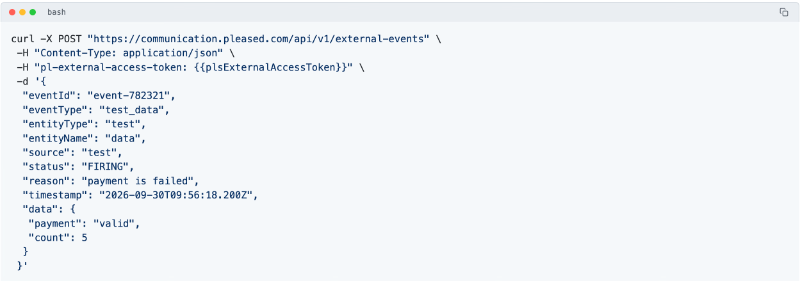
Here you can find an example curl request to external event API (`https://communication.pleased.com/api/v1/external-events`).
The "plsExternalAccessToken" is the security token, must be generated in Pleased app.
Security
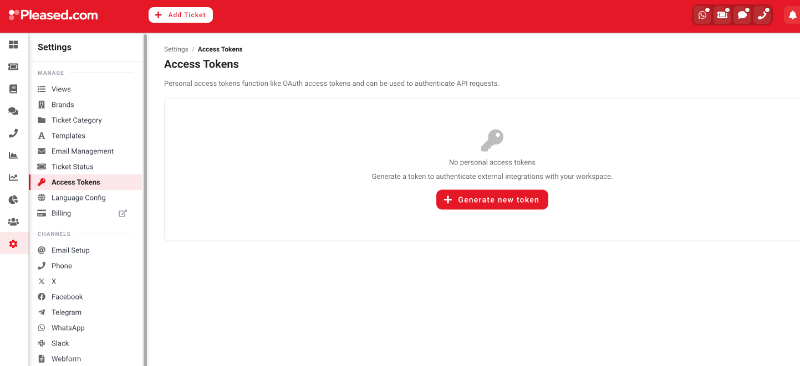
The API needs a special token that generated in our app. You need to generate in under section Settings > Access Tokens with button Generate Token. The token will be valid until the client deletes it.
Request Details
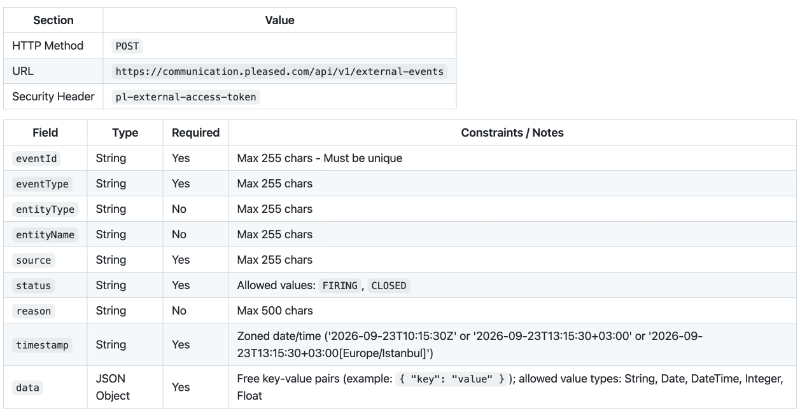
The API requirements are listed below.
Response Details
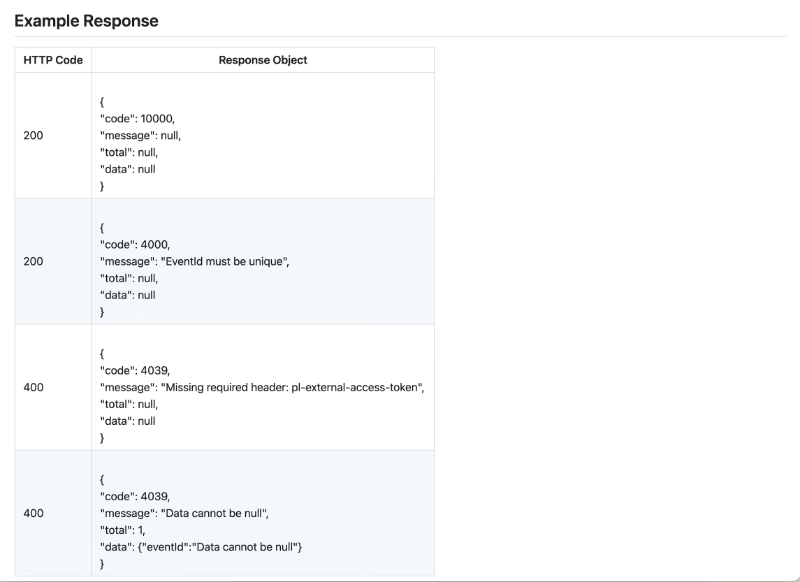
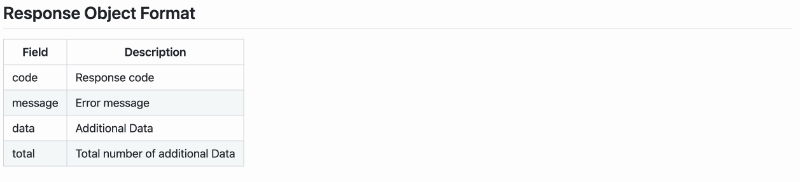
The API response object structure is same for success and error cases, it contains following fields.
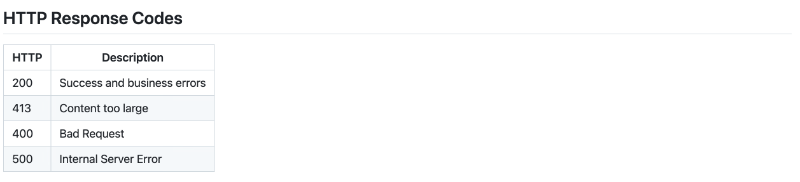
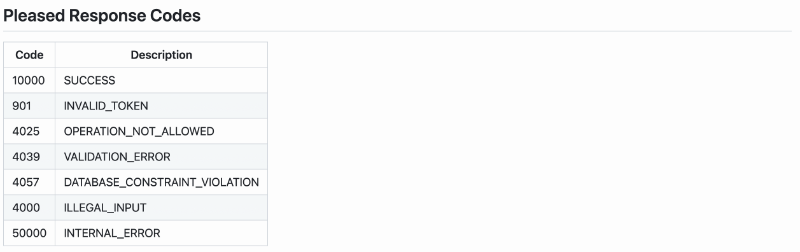
The http response codes are listed below, we provide the details in the response object above. The code descriptions and examples are listed in below.